
Before you begin
- Rollouts can compare existing market catalogs, including different prices, with real Online Store visitors.
- Scheduling requires Basic or higher. Running an Experiment requires Grow or higher.
- Prepare a separate draft catalog and check which price shoppers will actually see. Rollouts changes catalog status, not saved price versions.
- Experiments do not update ads or product feeds. Check those channels before testing a different storefront price.
What is Shopify Rollouts?
You want to raise a product from $40 to $44. Will enough people still buy it? Changing the price for everyone tells you what happened afterward, but leaves you guessing about what would have happened at the old price.
Shopify Rollouts lets you compare the current store with a changed version during the same period. Visitors are assigned randomly: the control group sees the current setup, and the treatment group sees your proposed changes. This is often called an A/B test.
On October 23, 2026, Shopify added support for catalog changes. A catalog is a list of products, with optional prices, assigned to a market. Rollouts can now switch catalogs on or off to compare offers on your Online Store.
You will find it under Markets > Rollouts in Shopify admin. Scheduling is available on Basic and higher; the Experiment option needs Grow or higher.

Choose one price question
For this guide, imagine a product that normally costs $40. You want to compare that with $44 in one market. These are hypothetical prices, and we have not run this experiment.
Keep the product selection, page design and promotions the same between groups. Rollouts can combine several changes, but changing the price, product photos and checkout together makes it harder to explain the result.
Decide what would make the change worthwhile before starting. More orders and more profit are different goals. A lower price might attract more purchases while leaving you with less after product costs, shipping and returns.
- Control: the current $40 offer.
- Treatment: the same product offered at $44.
- Question: does the higher price leave enough demand to justify keeping it?
Prepare the alternative as a draft catalog
Go to Markets > Catalogs and create the alternative catalog. Set the intended prices, keep the product selection consistent with your comparison, and save it as Draft. It must be assigned to the intended market before shoppers can see it.
Check how it overlaps with your current catalogs. Shopify gives more specific market pricing priority. When equally specific catalogs include the same product, the lower price wins. Simply activating a $44 catalog beside an equally specific $40 catalog may leave shoppers seeing $40.
Your treatment may therefore need two status changes: make the alternative catalog active and make the current catalog draft. Check the complete combination of applicable catalogs, including any others assigned to that market.
Keep price edits out of active catalogs while preparing the test. Rollouts controls whether an existing catalog is Active or Draft; it does not hold a future copy of its prices. Saving edits to a catalog can affect shoppers immediately when that catalog applies.
Set up an Experiment
Rollouts has three types. Launch makes a permanent change. Event applies a temporary change and then rolls it back. Experiment compares a control with a treatment. Launch is the default, so choose Experiment for this guide.
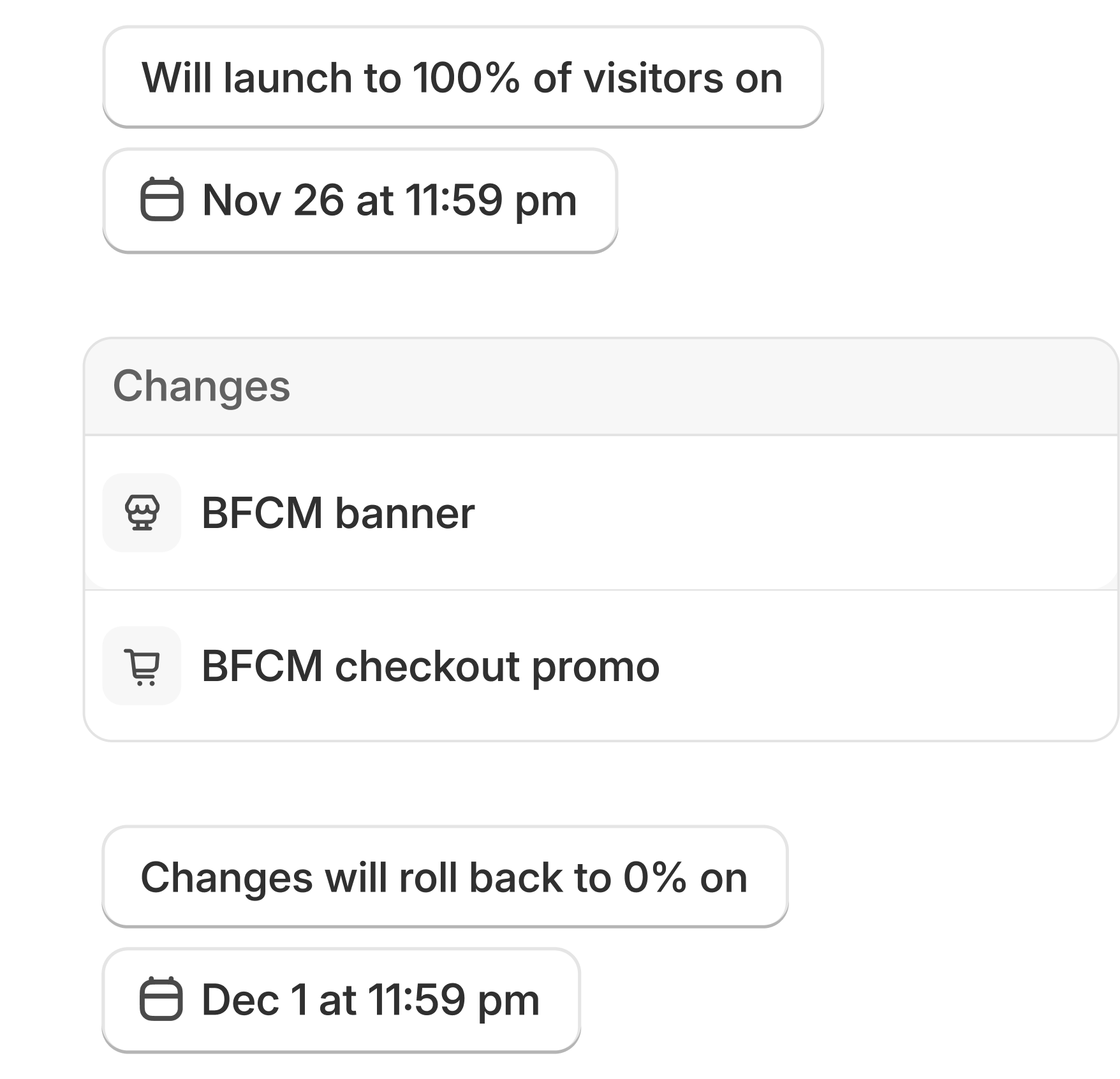
The image below shows Shopify's scheduling example for a temporary campaign reaching everyone. Your price Experiment also needs a control/treatment split; this image does not show those controls.
Name the test and select Experiment
Open Markets > Rollouts > Create rollout. Use a name that describes the question, such as testing $44 against $40.
Add the catalog changes
Choose Add changes > Catalogs. Select the existing catalogs and set each to Active or Draft for the treatment. Check that the control and treatment will actually differ.
Check the audience
Traffic allocation is how much eligible traffic joins the test. Traffic split divides that traffic between control and treatment. The selected changes determine eligible markets; you cannot target a device, customer tag or customer segment.
Save a draft and preview it
Resolve conflicts and save without a start date to keep the rollout in Draft. Open the catalog's Rollouts icon and select the rollout to preview its configuration. The Products page's View as shows base prices for Experiments, so it cannot confirm the treatment price.
Set dates after reviewing
The default split is 50/50 and the default end date is 90 days later. Those are starting settings, not a recommended test duration. Once you have checked the setup and external channels below, set and save the schedule using your store's timezone.
Check ads and other sales channels first
A Rollouts Experiment applies to the Online Store only, even when its traffic allocation is 100%. Ads, shopping listings, product feeds and third-party apps do not receive the experiment's catalog changes. They may keep showing the base price.
That matters if an ad promises $40 and the shopper lands on a $44 offer. Shopify warns that mismatched offers can lead to product reviews, delisting or account suspension on channels such as Google and Meta.
Before starting, check whether the affected products appear in those channels. Review their rules and coordinate the test, which may mean pausing affected ads or temporarily excluding the products from listings. Monitor channel status during the experiment.
Other catalog restrictions to check
Rollouts supports market catalogs. Archived catalogs and B2B catalogs created directly for a company location are excluded. A catalog can be part of only one unended rollout, and your plan's catalog limits still apply. Staff also need the relevant permissions.
Read the report without rushing the decision
Review Shopify's measurement limits before starting. Once the experiment is active, check which metrics its report provides. Metrics vary with the rollout and the resources being changed. The current documentation does not clearly list catalog-specific Experiment metrics, so do not assume you will get a profit comparison or an automatic answer about which price to keep.
The reported results count consenting visitors. Assignment also depends on the browser: changing devices, using another browser or clearing cookies can put someone in a different group. The report cannot be filtered by device or country, and updates are not instantaneous.
A small early difference is a reason to keep watching. It does not establish that one price is better. Allow enough relevant traffic and time to judge the question, and review product costs and margins separately from the metrics Shopify makes available.
Decide whether to keep the change
When you end a rollout manually, Shopify lets you roll back the changes or apply them permanently. Check that choice before confirming. A permanently applied change cannot then be reversed through the rollout.
For catalogs, rollback stops applying the rollout's status changes. The catalogs then use their currently saved status, prices and product availability. It does not restore a snapshot from the start of the test. Keep a record of the starting settings and avoid changing the experiment halfway through.
If the evidence is too thin, you can keep the original offer and leave the question open. A useful experiment can end without a clear reason to change the price.
Sources and scope of this guide
Checked against Shopify's public documentation on October 27, 2026. This is a setup guide, not a report of an experiment we ran. The $40 and $44 prices are hypothetical. The two images are official Shopify product illustrations showing page comparison and campaign scheduling; neither is a capture of the catalog-price controls.