
Before you begin
- Theme app add-ons let a developer present a storefront app alongside its theme and offer a shared installation flow.
- Check the theme price and the app plan separately. A paid theme can have an app with its own recurring charge.
- Find out which features depend on the app before you install it, change themes or cancel it.
- The one-app rule applies to the add-on shown on a theme listing, not the number of apps your store can use.
What is a theme app add-on?
A theme app add-on is a storefront app that a theme developer offers alongside its theme. It adds features through a theme app extension, and the Theme Store listing can show the app and its price before you install anything.
Shopify announced the feature on October 28, 2026. A developer can offer the theme and app through one installation flow. Shopify gives product customization, subscriptions and advanced search as examples of what these apps can add.
Before buying, find out which features come with the theme purchase and which require the app. A feature you like in a demo may need its own setup or paid plan.
A real example: Kingpin and Pallet
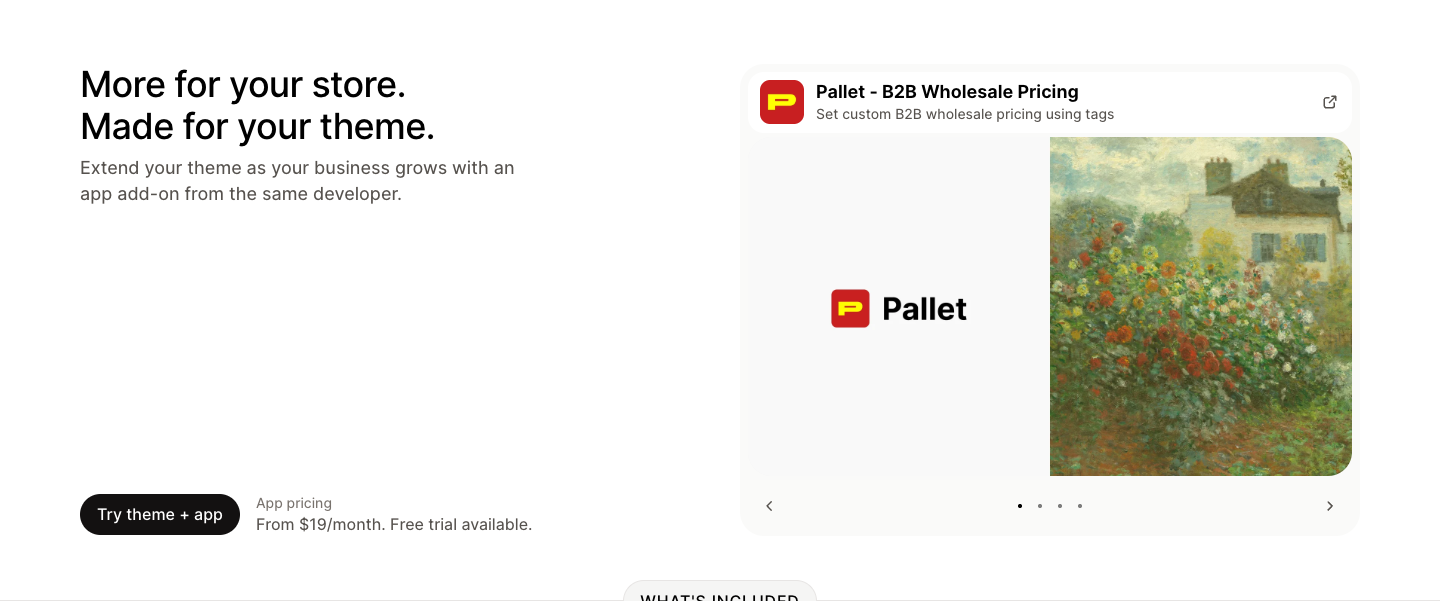
Kingpin is a preset of the Keystone theme by Brickspace Lab. On October 30, its Theme Store listing showed a $440 USD theme price and a separate add-on card for Pallet, the same developer's wholesale pricing app.
The theme lists features such as a quick order list and product filtering. The Pallet card describes custom wholesale prices based on customer tags. Those are separate items to check when deciding what your store needs.
The listing includes both a Try theme link and a Try theme + app button. The combined option asks you to sign in or create a Shopify account and choose a store. We inspected the public listing; we did not install either product.
Separate the theme price from the app plan
| Purchase or plan | What the listing shows |
|---|---|
| Kingpin theme | $440 USD. The Theme Store describes its theme purchase as a one-time payment for a store license. |
| Pallet add-on | From $19 a month, with a free trial available. Review its current app plans separately. |
| Your store's total | Include your Shopify plan and any other paid apps or services you use. The two listing prices are not the full cost of running the store. |
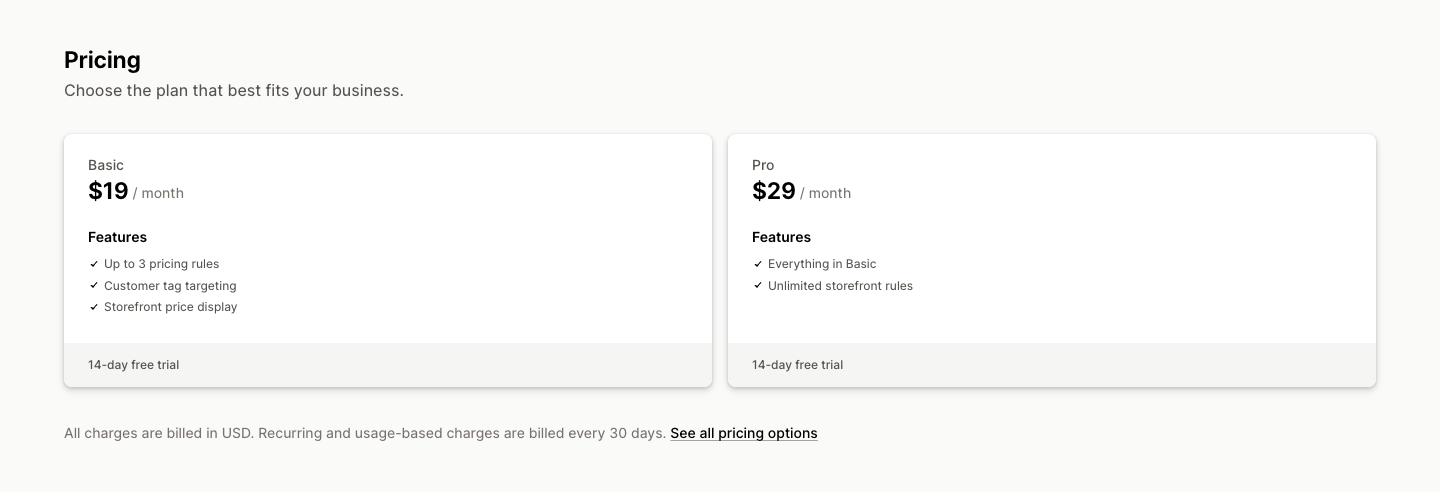
Pallet's App Store listing showed Basic at $19 a month for up to three pricing rules, and Pro at $29 a month for unlimited storefront rules. Both offered a 14-day free trial. Prices were in USD, with recurring charges billed every 30 days.
That sits alongside Kingpin's $440 USD theme price. Check which app plan includes the feature you want and what happens when the trial ends.
App pricing varies. Shopify supports recurring, usage-based and one-time app charges, so an add-on does not automatically mean a monthly subscription. Read the actual terms before approving a charge.
After installation, Settings > Apps lets you review the app's trial, plan and billing cycle. Keep that information with your theme purchase when working out the ongoing cost of the store.
What happens when you install them?
The shared flow helps you start with both products. You still need to configure the app for the feature you want to use.
Shopify apps can appear as blocks inside a page or as app embeds, such as a floating element. The available placement depends on the app and the theme. Follow the developer's setup instructions and preview the result.
Read the feature requirements
Check whether the feature belongs to the theme or the app, which app plan it needs, and whether it has Shopify plan requirements.
Review the installation and billing screens
Check the app permissions, trial and proposed charges before approving anything. Use the current screens for your store as the final check.
Try the feature before publishing
Follow the app's setup guide, then preview the relevant page on a phone and desktop. For wholesale pricing, include the intended customer account and cart in your checks.
What if you remove the app or change themes?
Features that depend on an app stop working when you uninstall it. Before removing an add-on, ask its developer what happens to its settings and stored data, and whether any extra cleanup is needed. Shopify warns that some apps leave theme code behind.
Uninstalling a paid app stops future recurring billing cycles, but an existing charge can still appear on your next bill. If an app bills outside Shopify, cancel that separate subscription with the developer too.
Changing your published theme needs a separate check. Shopify says apps need to be activated again in the new theme. Confirm compatibility, place the required blocks or embeds, and preview the feature before publishing.
Those are Shopify's general app rules. We have not tested Pallet's uninstall process or its behavior after switching themes. Check its current instructions before relying on either.
The current rules
Shopify's listing rules put a few limits on what developers can bundle. These describe the add-on presented on a theme listing; they do not limit your store to one installed app.
- The app must be published and meet Shopify App Store requirements before it can be added to the theme listing.
- The Partner organization that owns the theme listing must also own the app.
- A theme can feature one app add-on. The developer can offer the same app with more than one theme.
- The app can be listed or unlisted in the App Store. Its name, pricing information and featured media appear on the theme listing.
Check the feature you are buying the theme for
I would start with the feature that made the theme interesting. If it is wholesale pricing, ask which pricing rules come from the app, what the right plan costs, and who helps if the cart shows the wrong price.
Use the theme listing's Support link for theme questions. For a third-party app's features or charges, contact its developer. In Shopify admin, open Settings > Apps, select the app, and choose Get support from its menu.
Keep the answers with the listing links and your preview notes. That gives you something specific to compare with another theme before you buy.
Sources and scope of this guide
This guide follows Shopify's October 28, 2026 announcement, current theme listing requirements and official app Help documentation checked October 30. Kingpin and Pallet are a public listing example, not a product recommendation or a setup tested by Kraviyo.
Prices describe what was displayed on October 30, 2026. We did not install, purchase or remove either product, complete the combined installation flow, or measure store results.


