
Before you begin
- Compatible shopping agents can use published store facts to answer questions about returns, shipping and services.
- Shopify publishes facts linked to your admin when it creates them. Drafts from a storefront scan wait for your review.
- Check what a shopper needs to know, then compare the agent’s answer with your actual policy.
A shopper asks about a gift return
Imagine someone buying a personalized cutting board as a gift. Before ordering, they ask an AI shopping agent if the recipient can return it. A reply that just says “30-day returns” misses the detail that matters if the store excludes personalized items.
Shopify’s Knowledge Base gives compatible agents a place to look up facts about a store. That includes return policies, delivery countries, gift services and contact details. Product titles, prices and availability come from product data such as Shopify Catalog. A shopping agent can use product information and store policies to answer the same question.
Shopify’s November 11 overview explains how shopping works across AI channels. For a merchant, one thing you can check today is whether the facts you’ve published would answer that gift question.
Find the policy behind the answer
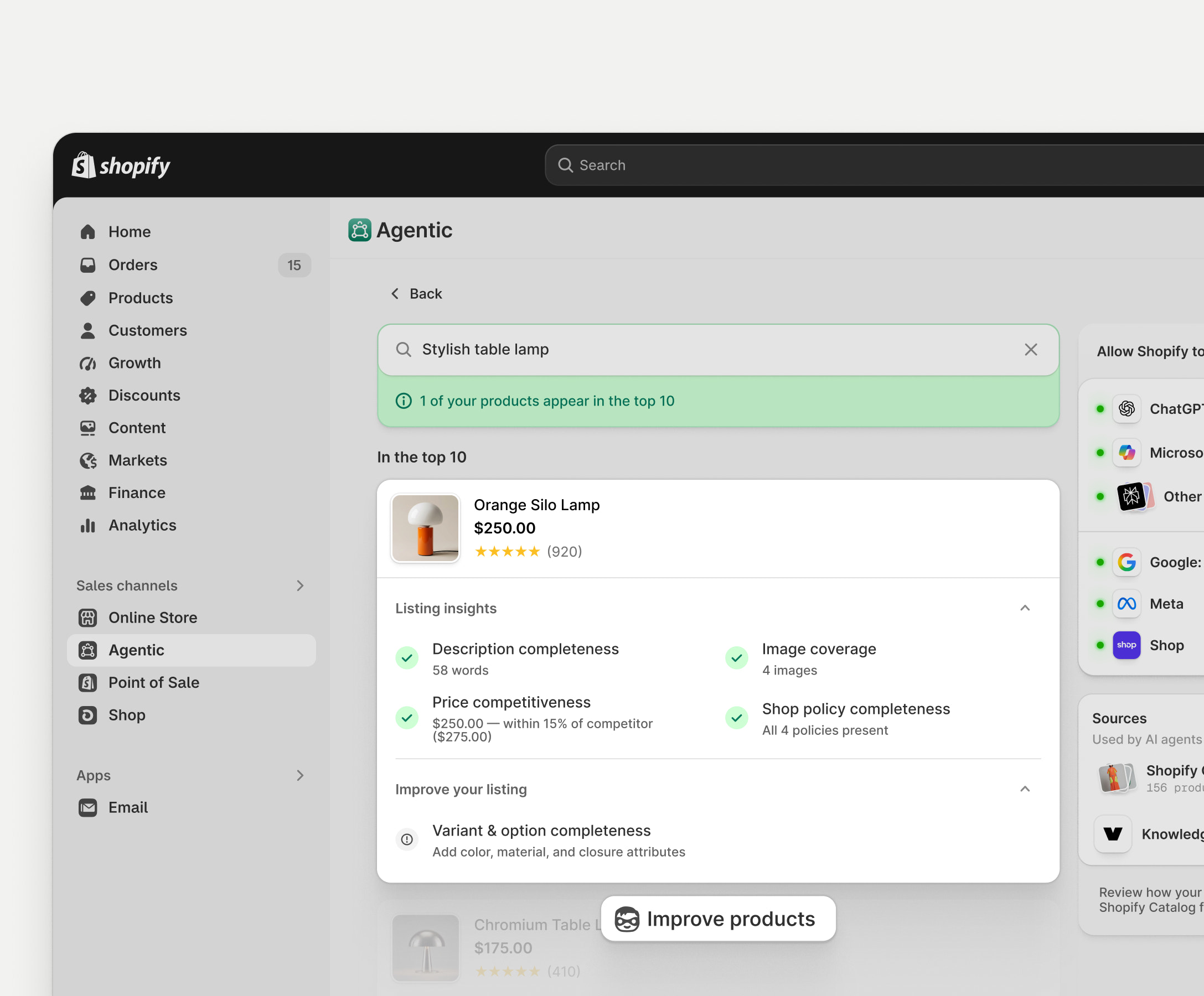
In Shopify admin, open Sales channels > Agentic. Under Sources, open Knowledge Base, then look for Returns & warranty. Open the source icon or reference count on the return policy and compare it with the page customers see.
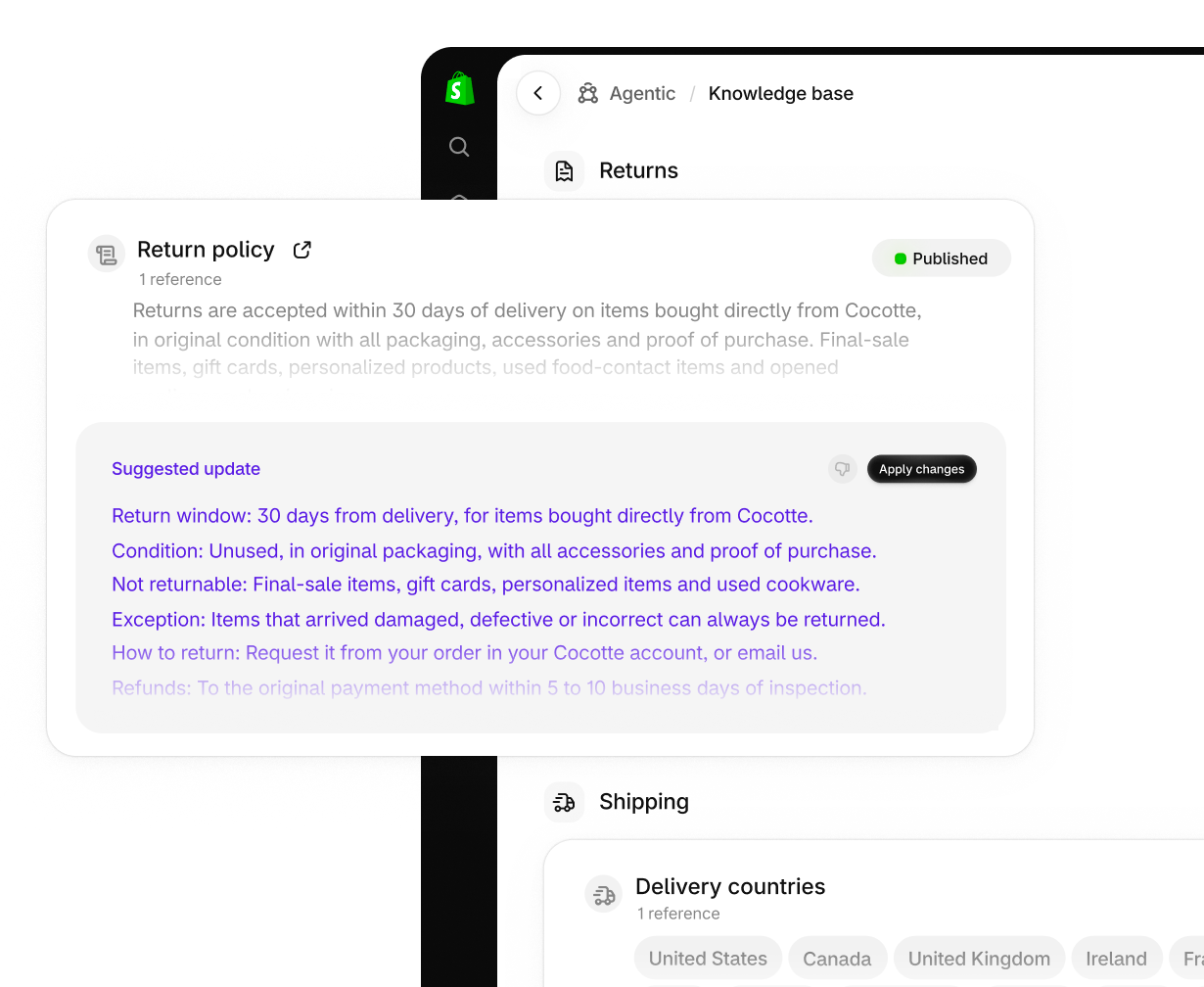
For the cutting board, check whether the policy explains the return window, the personalization exception and how gift recipients should get help. If the public policy is out of date, fix the policy first so shoppers and staff have the same information to work from.
Check what’s published
Shopify can draft facts from pages it scans on your storefront. Those drafts wait for you to publish them. Facts linked to Shopify admin, such as your policies or contact details, are published when Shopify creates them. Published facts are public and available to compatible agents.
Check Shopify’s suggested wording against your current policy. In the current Help Center steps, choose Approve & publish on the suggestion, then Save. If the suggestion leaves out an exception, keep reviewing until the fact reflects the policy.
Add a detail the policy already supports
In Additional facts, choose Add fact and use a paragraph for a short gift-return explanation. Add the public return policy as a reference so you can find it again when the policy changes.
Publish the fact
Hover over Unpublished, choose Publish, then Save. Check the published status and keep the wording consistent with the public policy.
Compare the reply with the actual policy
If you have a compatible shopping agent you can test with, ask about the regular cutting board and then the personalized version. Use the same destination country for both questions. Check whether the reply gives the right return window and handles the exception. If your policy varies by country, repeat the check for that country.
If the reply is wrong, write down the question and the exact answer. Check whether the relevant fact is published and whether its reference is current. The final answer can vary by agent and by the sources it uses. Publishing a fact gives compatible agents another source for answers. Each shopping channel decides what to show in its results.
What changed for developers on November 11
Shopify deprecated its older store policy and FAQ tool in favor of Ask, part of the Universal Commerce Protocol. Developers using the older tool have until January 15, 2027 to switch. Ask uses store facts, policies and relevant product information to answer questions, and can take context such as country and language.
Ask requires a compatible store and agent integration. It answers questions about returns. A shopper who wants to start a return still follows the store’s return process.
Can I return this personalized cutting board if I bought it as a gift and had it delivered to Canada?
If you used the old Knowledge Base app
Shopify moved Knowledge Base into admin on October 26. The old app retires on January 15, 2027. Shopify Help says that if the old app held 1,000 facts or fewer, the facts you added and the facts you overrode were transferred and published. If you had more, move the additions and overrides you want to keep before that date.
Shopify limits the built-in Knowledge Base to 1,000 facts total. Password-protected storefronts can use facts from Shopify admin. Storefront scans require public pages. Additional facts is the only place to add facts for custom storefronts and stores on the Agentic plan.
Sources and scope
Shopify’s documentation and announcements were checked on November 12, 2026. The gift-return question is an example for testing. The screenshots are Shopify’s official demo images, and we have not tested the question in a merchant’s store.


